
Skip to content

Turtle Race, 5K & Kids 1K, Saturday, February 20, 2027

Details about the Turtle Race, 5K & Kids 1K
Alvin ISD Education Foundation
Up to $10,000

Campus Grants

Grants of up to $10,000 per campus for team initiatives that promote collaboration, strengthen relationships and enhance effectiveness on Alvin ISD campuses.

Overview

What it is

A Campus Grant supports team initiatives that promote collaboration, strengthen relationships and enhance overall effectiveness. These grants fund projects designed to improve team building, professional growth and departmental success. By encouraging collaboration and creativity, they create positive change within teams while aligning with broader campus and district goals.

Up to $10,000

Who can apply

  • Principals
  • Associate and assistant principals
Photo album

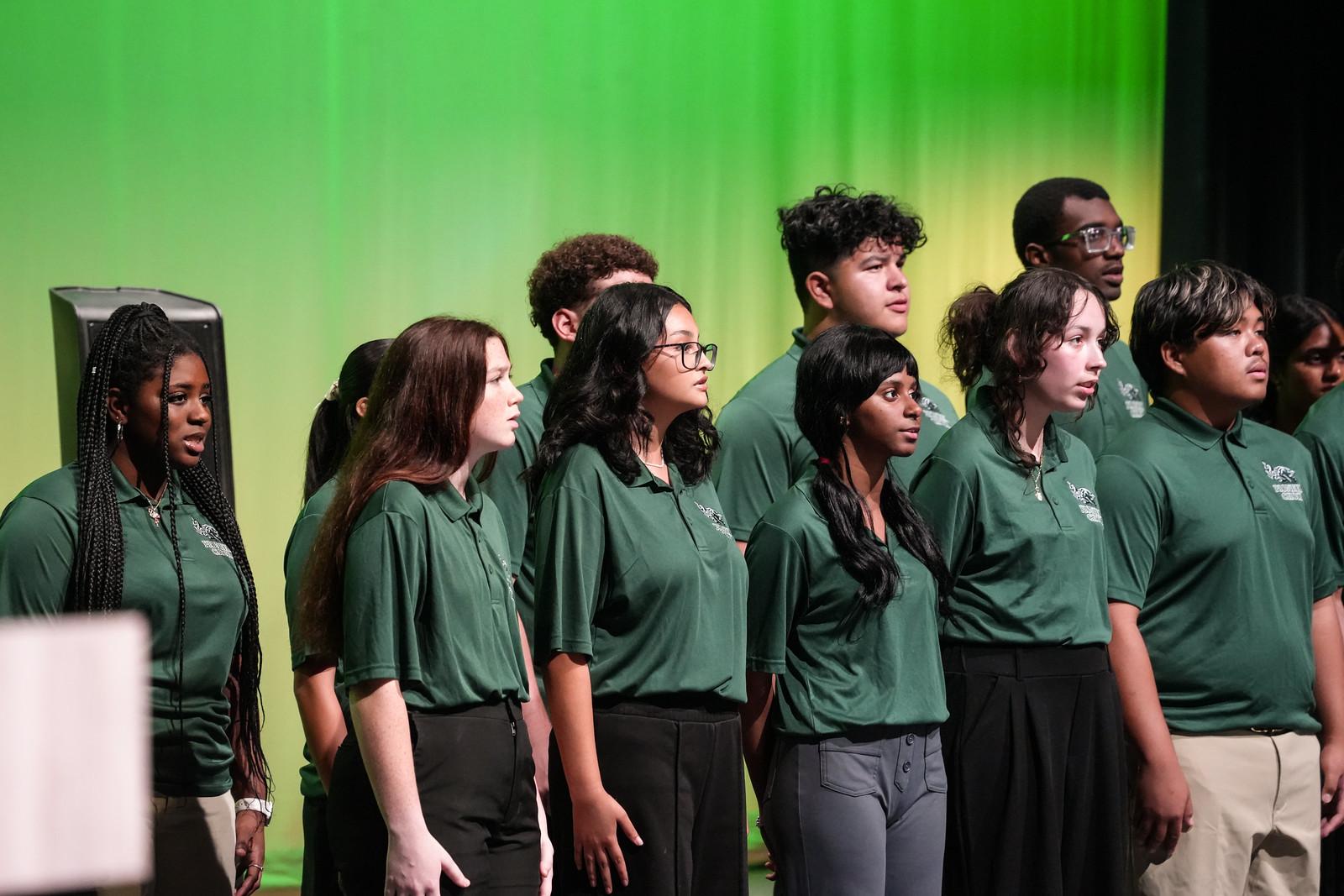
Celebrated on stage

Campus Grant recipients are recognized at the Alvin ISD Employee Recognition Ceremony. Here are moments from the 2026 ceremony.
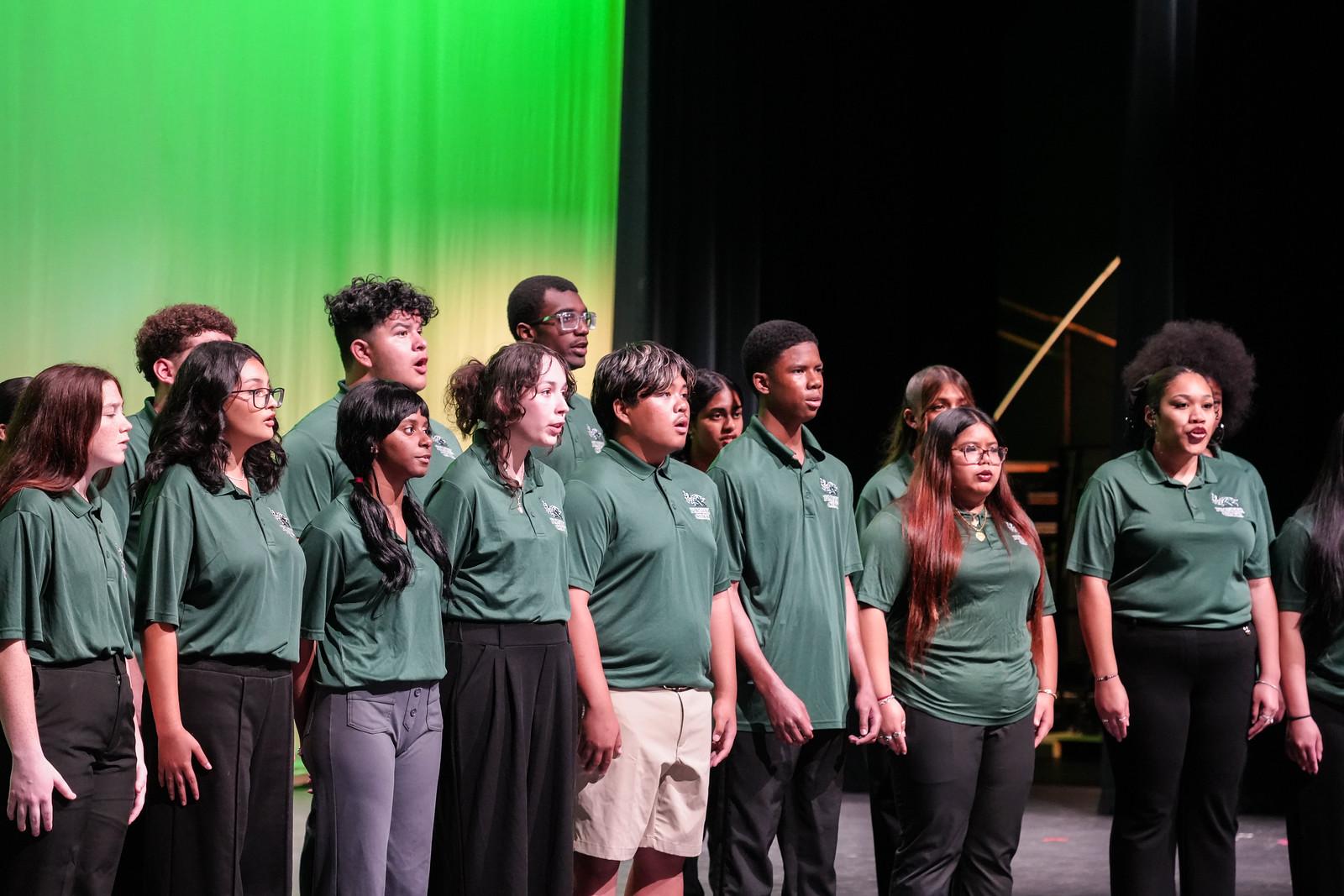
A student choir in green polos sings on stage

Photos by Alvin ISD. See all 309 photos on Flickr (opens in a new tab)

Key details

The essentials at a glance

Award
Up to $10,000
Multiple applications
Allowed from each campus, as long as the campus total does not exceed $10,000. Campus staff should work with their principal to prioritize requests before submitting, and every application needs the campus principal's approval.
Approval
The principal must review and sign all budget forms, showing approval and support of the request.
Announcement
Recipients are recognized at the Alvin ISD Employee Recognition Ceremony.
Purpose
Special projects not covered by regular budgets or personal funds.
Examples
Incentive programs, school gardens, campus projects and campus field trips.
Submission requirements
The online application plus the Campus Grant Budget Form, signed by the principal.

Current cycle

Applications open
October 30, 2026
Applications close
January 15, 2027
Funds available
After July 2027

No extensions are granted.

Forms

Forms for your application

Read the guidelines first, then upload the required forms with your online application. Forms marked Only if needed apply to some projects.

Before you apply

What to know before you apply

Submission requirements

Submit these with the online application.

  1. 1
    The online application on Alvin ISD AcademicWorks.
  2. 2
    The Campus Grant Budget Form, itemized, signed by your principal, saved as a PDF and uploaded.
  3. 3
    The Maintenance Department Building Modification Form, only if your project includes a non-mobile garden.

Not eligible for consideration

These requests are not considered for funding.

  • Any form of artificial intelligence (AI). All requests for AI are rejected.
  • Furniture
  • Teacher travel
  • Catering
  • Gift cards
  • One-year software subscriptions
  • Books or classroom materials not approved by IT or the Alvin ISD Curriculum Director, or that do not meet curriculum standards
  • Applications with missing, incomplete or improperly filled attachments are rejected.

Guidelines

  • Specify whether the grant is for elementary or secondary.
  • Complete the Campus Grant Budget Form:
    • Vendors do not need to be on the district's approved vendor list.
    • Itemize every item. Estimates are not accepted.
    • Add shipping. Do not add tax.
    • Open the form in Excel, enter your budget, save it as a PDF and upload it.
  • Campus gardens:
    • Non-mobile gardens (planted in the ground, permanently installed raised beds, or structures anchored to the grounds) are building modifications and require the Maintenance Department Building Modification Form.
    • Mobile gardens do not need the form.

Grant compliance if awarded

If your grant is awarded, the Alvin ISD Education Foundation requires the following.

  1. 1
    A photo op at the presentation of the check.
  2. 2
    The Alvin ISD Education Foundation recognized and tagged in all social media posts and district communications to parents and community partners about the grant.
  3. 3
    Photos of the grant in action, a minimum of 7 photos.
  4. 4
    A video of the grant in action, one to two minutes long, sent to the Foundation by April 1 of the awarded year, stating how the Foundation has benefited your project.
  5. 5
    Willingness to present the grant in action at a selected Alvin ISD Education Foundation board meeting.
  6. 6
    Willingness to share your experience with the grant process at New Employee Orientation for the upcoming school year.
  7. 7
    An honest Google review of the Alvin ISD Education Foundation about your experience with the grant.Leave a Google review (opens in a new tab)
  8. 8
    Use funds only for the purposes intended.

Awarded a grant?

Send your photo and video links and confirm each requirement online. The video is due April 1.

Submit grant compliance materials

Hints

  • Proofread your application.
  • Clearly define the purpose, student benefit, implementation and evaluation.
  • Specify the number of students and teachers impacted.
  • Avoid acronyms.
How to apply

Apply online on AcademicWorks

Applications are submitted online through Alvin ISD AcademicWorks with your Alvin ISD Google account, between October 30, 2026 and January 15, 2027.

  1. 1Open the application and click Apply (bottom right).
  2. 2Choose Sign In With Your Institution.
  3. 3Log in with your Alvin ISD Google account.
  4. 4Complete the application and submit it.
Questions?

Ask the Foundation office

Brandy Groth, Executive Director, can help with any grant or scholarship question.